Visitor Management System for Hospitals
Published on 10/18/2026 • Updated on 10/22/2026
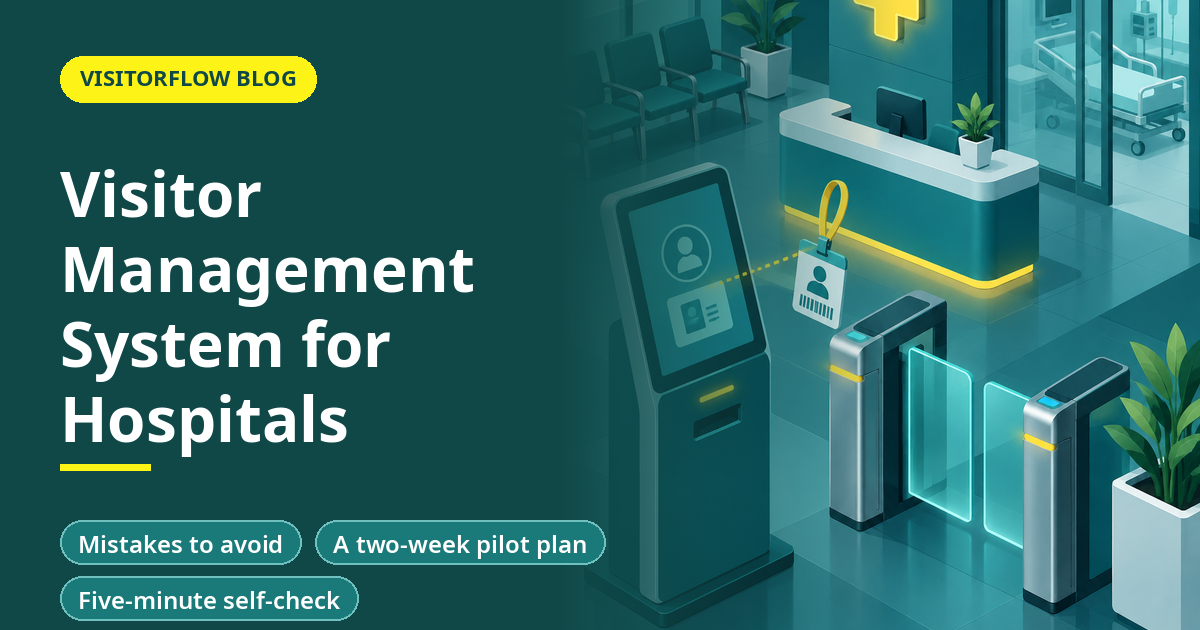
At 5 p.m. a hospital lobby holds relatives for a dozen patients, a pharmacy rep, two ambulance crews, a courier and a man looking for a ward he cannot name. The guard at the desk has one register and one pen. Somewhere upstairs a patient asked for no visitors at all.
Hospitals need visitor control for reasons that offices do not. Patients are vulnerable, infection control matters, privacy is sensitive and emergencies are common. This guide explains how a visitor management system fits into a hospital: who it must handle, how visiting hours and ward access work, what happens to patient privacy, and what to check before you choose one.
On this page
- Why hospitals are different
- The visitor categories to design for
- Visiting hours and ward access
- Patient privacy and visitor data
- A typical hospital visitor flow
- Emergencies and the live headcount
- What to check before choosing a system
- Mistakes to avoid
- A two-week pilot plan
- Five-minute self-check
- Reader Q&A
- Bottom line
Why hospitals are different
A hospital has more kinds of visitor than almost any other site. There are patient relatives and attendants, doctors visiting from other hospitals, medical representatives, vendors, contractors, students, couriers and blood or sample transport. Each needs different access and different timing.
Risks are different too. Infant safety, unauthorised access to wards, theft from patient rooms, aggression towards staff and crowding during visiting hours all start at the entrance. Records also matter after the event, when an incident review asks who was in a ward at a given hour.
Key idea: In a hospital, the visitor record protects patients first and the facility second.
The visitor categories to design for
| Category | Typical access | Special rule |
|---|---|---|
| Patient relative | Ward during visiting hours | Limit on numbers per patient |
| Attendant | Ward through the stay | Long-validity pass, named patient |
| Medical representative | Designated area, set slots | Appointment and approval by the doctor or purchase head |
| Vendor or contractor | Service areas | Induction and escort for sensitive zones |
| Courier or sample carrier | Pharmacy, lab or reception | Inward record and handover signature |
| Student or trainee | Assigned department | Approval by the department head |
Start by listing your own categories. A small hospital may need five, a large one ten. Each gets a pass colour and a rule, and the system must be able to apply a different rule to each.
Visiting hours and ward access
Visiting hours are the main control. A system can show the guard whether a visitor is inside the allowed window and which ward the visit is for. It can also cap the number of visitors per patient at one time.
- Time windows: visiting hours by ward, with different rules for ICU, maternity and general wards.
- Patient lookup: the guard confirms the patient name or number with the nursing station before issuing a pass.
- Limits: one or two visitors per patient at a time, with the pass count shown on screen.
- Restricted wards: access only with named approval from the ward in-charge.
Rules like these are hospital policy, not software settings alone. Agree them with the medical superintendent and nursing head first, and then configure the system to match.
Patient privacy and visitor data
The visitor log holds the names and phone numbers of people visiting patients. Together with a patient name, it is sensitive. Keep patient identifiers out of the visitor record unless needed, and limit who can search it.
India's Digital Personal Data Protection Act, 2023 and the Rules notified on 14 November 2025 treat the organisation that decides why data is collected as a Data Fiduciary. The Rules require a clear notice (Rule 3) and reasonable security safeguards such as access control and masking (Rule 6). Rule 1 brings most operational obligations into force eighteen months after publication, around mid-May 2027.
⚠️ Compliance note: Hospitals also hold clinical data under their own rules. Ask your legal adviser how the DPDP Act applies to visitor data and how long to retain it. This article is not legal advice.
See how VisitorFlow handles ward visitors
QR check-in, host or in-charge approval and Excel-based reports, with no special gate hardware.
Explore Visitor Management SoftwareA typical hospital visitor flow
Step 01
Arrival at the entrance
The visitor scans a QR code or goes to the desk. They give name, mobile number and the patient or ward they are visiting.
Step 02
Check and approval
The system checks visiting hours and the visitor limit. For restricted wards, the ward in-charge approves from a notification.
Step 03
Pass and direction
The visitor receives a coloured pass or a digital pass and is told the route to the ward.
Step 04
Exit
The pass is collected or the visit is closed on exit, so the log shows who is still inside.
The speed of this flow matters most at peak hours. If the flow takes too long, the queue grows and guards bypass it. Test it during a busy evening, not on a quiet morning.
Train the front desk to explain the flow in one sentence: scan the code, give the ward and patient name, wait for the pass. Put the same sentence on a sign beside the QR poster, in the languages your visitors read. A visitor who knows what to expect fills the form faster and asks fewer questions at the desk.
Emergencies and the live headcount
A fire or evacuation raises a simple question: who is in the building? A digital log with time out recorded can show the current list of visitors by ward within seconds. A paper register cannot, because exit times are rarely written.
VisitorFlow published a post on emergency notification in visitor management, which describes alerting people on site. Check any system you consider for a live list of who is inside and a way to message them.
What to check before choosing a system
Hospital checklist
- ☐ Rules by ward and by visitor category.
- ☐ Visiting hour and visitor-limit control.
- ☐ Approval by the ward in-charge for restricted areas.
- ☐ Role-based access so patient-linked data is not open to everyone.
- ☐ A live list of who is inside during an emergency.
- ☐ Excel-based reports for the security and administration heads.
- ☐ No dependence on special hardware at every entrance.
VisitorFlow's product page states that its software runs on a smartphone or computer and needs no face scanners or special terminals, with notifications by email, WhatsApp or SMS and Excel-based reports. Test any claim in a pilot at one entrance before you extend it.
Mistakes to avoid
One pass for everyone
Relatives, vendors and trainees need different rules and colours.
Patient names in an open log
Keep patient identifiers out of anything that every guard can browse.
Pilot at peak hour
Test at the busiest visiting hour at one entrance before the full rollout.
Another mistake is ignoring staff. Hospital staff also use the gate, and a visitor system that confuses staff with visitors will be abandoned. Keep staff access on a separate path.
A two-week pilot plan
Run the pilot at one entrance with the busiest evening hours.
Step 01
Days 1 to 4: rules and categories
Agree the visitor categories, visiting hours and limits with the medical superintendent and the nursing head. Write them on one page.
Step 02
Days 5 to 11: live pilot
Use the system at one entrance. Track queue length at 5 p.m., guard overrides and patient-privacy complaints.
Step 03
Days 12 to 14: review
Meet the security and nursing heads, fix the rules that caused overrides and decide on the next entrance.
Keep a manual fallback at the desk for power or network failures.
Five-minute self-check
Check your current entrance against these points.
Answer yes or no
- ☐ Do you know how many visitors are inside right now?
- ☐ Are visiting hours enforced at the desk?
- ☐ Is patient-linked visitor data hidden from the general public?
- ☐ Do vendors and trainees have a separate path?
- ☐ Can you list visitors by ward in an emergency?
Two or more no answers mean this is worth fixing before anything else on your list.
Reader Q&A
Why do hospitals need a visitor management system?
To control access to wards, enforce visiting hours, protect patient privacy and know who is inside in an emergency.
How does a hospital limit visitors per patient?
The system counts active passes per patient or ward and warns the guard when the limit is reached. The limit itself is hospital policy.
Is visitor data in a hospital personal data?
Yes. Names and phone numbers of visitors are personal data under the DPDP Act, 2023. Ask your legal adviser how the Rules apply and how long to keep records.
Can a visitor management system handle medical representatives?
Yes, as a category with appointments and approval by the doctor or purchase head, and time slots.
Do I need special hardware?
Not necessarily. VisitorFlow states that it runs on a smartphone or computer with no face scanners or special terminals. Check the hardware needs of any system.
What happens in a fire or evacuation?
A digital log with time out shows the current visitors by ward, so staff can account for them. A paper register rarely gives that.
Bottom line
A hospital visitor management system protects patients first by controlling who enters which ward and when. Design the categories, the visiting hour rules and the privacy limits before you configure any software.
Pilot at one entrance during the busiest hour and review the results with the security and nursing heads.
Pilot visitor control at one hospital entrance
VisitorFlow runs visitor, material gate pass, courier, maintenance and incident workflows on one cloud platform.
Explore Visitor Management Software See Material Gate Pass Software Book a Free Demo
Aadeshwar Modi is a marketing technical content writer who loves writing on technology and AI topics.
- From Register Book to Software: Digitizing the Gate Pass
- Inter-Branch Transfer Gate Pass: Keep Stock True Across Units
- Material Inward Gate Pass: Link the Gate with the GRN
- E-Way Bill vs Gate Pass: What Each Document Does
- Gate Pass System for Engineering and Fabrication Workshops
- Gate Pass Software for Pharma and Chemical Plants
- Office Facility Maintenance Checklist: Daily, Weekly, Monthly
- Breakdown Maintenance Log: Record, Analyze, Reduce
- Maintenance KPIs and Dashboards: What to Review Weekly
- AMC Management Software: Contracts, Renewals and Vendor SLAs