Maintenance Ticketing System: From Phone Calls to Closed Tickets
Published on 10/21/2026 • Updated on 10/23/2026
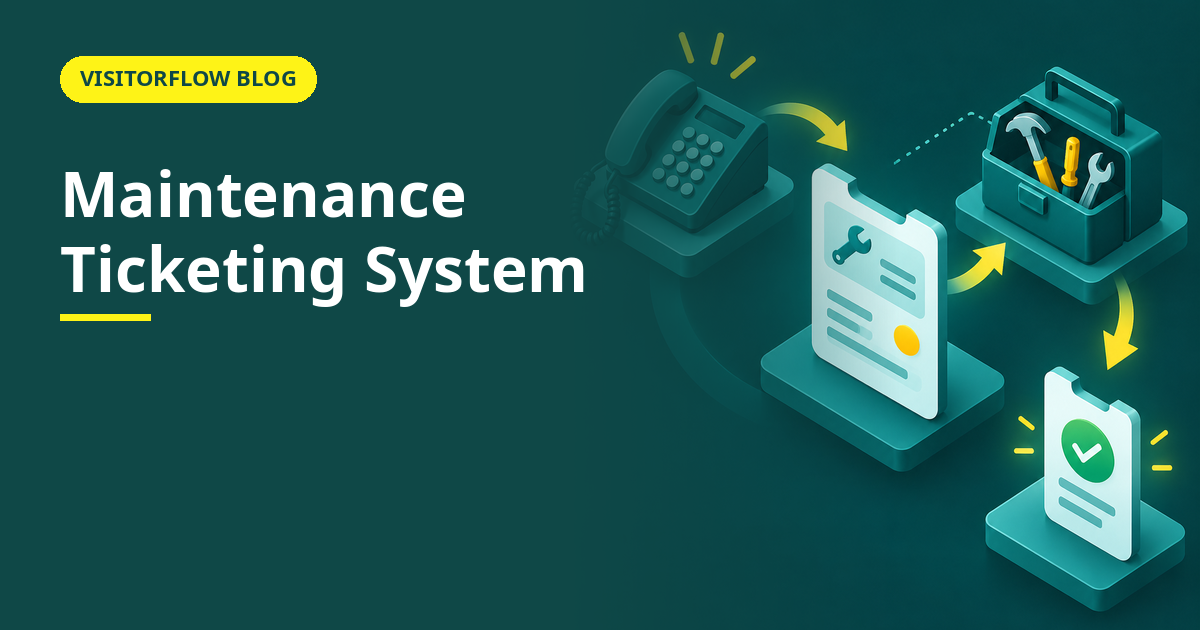
A lift stops working on the fourth floor. Someone tells the office boy, who tells the admin, who calls the technician, who says he will come after lunch. Three days later the lift is still out, nobody remembers who reported it, and the version of the story depends on whom you ask. The repair took a day; the telling took three. Multiply that by every lift, AC, pump and printer in the building and you get the real maintenance backlog: not broken assets, but broken information.
A maintenance ticketing system replaces the chain of tellings with a ticket: one record that carries the problem, a photo, a priority, an owner and a status from report to closure. This guide covers what a ticket actually is, how ticketing compares with calls and WhatsApp groups, how to set one up so staff and vendors both use it, and the reports that turn tickets into maintenance decisions. Our maintenance request form article covers the report itself; this one is about what happens after it lands.
On this page
What a maintenance ticket actually is
A ticket is a structured record of one problem. It opens when someone reports the issue with a photo, the location and a priority; it gets assigned to a technician or vendor; it collects the diagnosis, the work done and the root cause; and it closes when the reporter or a supervisor confirms the fix. Every state change is timestamped, so "when did we know about this" is a fact, not an argument.
The structure is the point. A phone call carries whatever the caller remembers to mention; a ticket always carries the same fields, which is why a hundred tickets can be searched, sorted and compared while a hundred phone calls can only be remembered. It also travels: when the first technician's shift ends, the second one reads the ticket instead of re-diagnosing from scratch, and the day-shift argument about what was promised simply never happens.
A ticketing system is the discipline wrapped around that record: who can report, who assigns, what priorities mean, how long each state may last before someone is alerted, and what "closed" requires. Software like VisitorFlowSoftware like VisitorFlow's maintenance module runs that discipline automatically#39;s maintenance module runs that whole discipline automatically: tickets raised with photos from any phone, email alerts on assignment and closure, root-cause capture before closure is allowed.
Key idea: A ticket turns a maintenance problem from a conversation into an object. Objects can be counted, assigned, tracked and audited; conversations evaporate.
Ticketing vs calls and WhatsApp groups compared
| What matters | Phone calls | WhatsApp group | Ticket-based system |
|---|---|---|---|
| Nothing gets forgotten | Only if the person called remembers | Buried under newer messages within hours | Open tickets stay open until closed |
| Clear ownership | Whoever was called, maybe | Everyone in the group, so no one | One named assignee per ticket |
| Proof for vendor disputes | None | Screenshots, if someone saved them | Timestamped report-to-closure trail with photos |
| Repeat-problem detection | Only in the technician's memory | Scrolling, if you are patient | Filter by asset or location, instantly |
| Reporter knows the status | Must call again to ask | Asks in the group, adds noise | Automatic alerts on assignment and closure |
$125,000 per hour
is the average cost of unplanned downtime across industrial sectors in Siemens' True Cost of Downtime 2022 report. Not every ticket prevents a stoppage, but every untracked problem is a stoppage rehearsing.
Every breakdown, one ticket, zero retelling
VisitorFlow lets anyone report an issue with a photo and priority from their phone, routes it to the right technician or vendor, and tracks it to closure with root cause recorded.
Explore Maintenance Management SoftwareSetting up ticketing in four steps
The technology is the easy half. The hard half is that reporting a problem must become easier than shouting across the floor, or the shouting wins. These steps get both halves right, in the order that keeps momentum: reporting first, discipline second.
Step 01
Make reporting a thirty-second job
A QR code near the asset or at the floor, a form that asks for a photo, location and a one-line description, and nothing else mandatory. Every extra field you demand cuts the number of problems that get reported.
Step 02
Define three priorities and mean them
Safety or production-stopping: respond immediately. Disrupts work: same day. Annoying: this week. Write them where reporters can see them, and defend them when someone marks a dripping tap urgent.
Step 03
Require root cause at closure, not just "done"
A ticket that closes with "fixed" teaches nothing. One line on what actually failed and why builds the history that tells you, in six months, which asset is eating your team's week.
Step 04
Close the loop with the reporter
The person who reported the problem gets the closure alert, not just the technician. People keep reporting when they see reports lead to fixes; they stop the month they conclude the system is a suggestion box.
Mistakes that kill ticketing adoption
- ✗ A ten-field reporting form, so people go back to calling the technician they know and the ticket queue fills with only the admin's own reports.
- ✗ Everything marked high priority for two weeks, until priority stops meaning anything and the real emergency queues behind a loose door handle.
- ✗ Letting tickets close without the reporter or a supervisor confirming the fix, so "closed" quietly becomes "we stopped thinking about it".
The reports tickets make possible
Three months of tickets answer questions that no register can: which assets fail most, which vendors respond slowest, how long the average repair takes by category, and which locations generate the most work. Those answers drive the real decisions: replace versus repair, vendor contract renewals, and whether you need one technician or two. None of them are answerable from memory, because memory flattens six failures into "it keeps breaking" and loses the pattern.
They also feed the preventive side. A pump with six breakdown tickets in a quarter belongs on a preventive maintenance schedule, and our facility maintenance checklist article covers building that schedule. Breakdown tickets and preventive schedules are two halves of the same programme; the tickets tell you where the schedule is wrong, and the schedule slowly shrinks the ticket pile.
Reader Q&A
What is a maintenance ticketing system?
It is software where every maintenance problem becomes a tracked record with a photo, location, priority, assignee and status, from report to confirmed closure. It replaces phone calls and chat groups with a queue nothing falls out of.
Who should be allowed to raise a ticket?
Everyone who can see the problem: staff, security, housekeeping, even tenants. The wider the reporting net, the earlier small issues surface. Triage is the admin's job; spotting should be everyone's.
How is a ticket different from a work order?
A ticket records a reported problem; a work order authorises the work to fix it, often with cost and vendor details. Many systems merge them: the ticket becomes the work order when it is assigned. Our work order management article covers the formal side.
Can external vendors work inside the ticket system?
Yes, and they should. When the lift vendor updates the ticket with what was done, you get a timestamped service history without chasing invoices. That trail is what wins warranty and contract disputes later.
What is a good closure time for tickets?
Set targets per priority rather than one number: urgent within hours, work-disrupting within a day, minor within a week. Then watch the actual average by category monthly and fix the categories that drift, not individual tickets.
Do tickets help with preventive maintenance?
They are the input for it. Repeat failures on one asset tell you what to schedule and how often. A preventive programme built without breakdown history is a calendar of guesses.
What if staff keep calling instead of raising tickets?
Make the ticket the only route to action: calls get a polite "raise it and it is next in queue". One firm month resets the habit, but only if tickets genuinely move faster than the old phone chain did.
Can tickets be exported for audits or management reviews?
Yes. VisitorFlow exports the full ticket register with statuses, times and root causes to Excel, so monthly reviews and audits run from a file, not a login and a screen share.
Bottom line
This week, count how many problems you heard about verbally, and how many of those you could still prove existed on Friday. The difference between those two numbers is the case for tickets, stated in your own building's memory loss.
This quarter, make one floor or one department ticket-only for maintenance and watch what surfaces. The metric to watch is the repeat-failure list by asset; the first time it settles a replace-versus-repair argument, the system has paid for itself in one afternoon.
Stop retelling, start tracking
VisitorFlow runs visitor, material gate pass, courier, maintenance and incident workflows on one cloud platform, with breakdown tickets and preventive schedules in the same place.
Explore Maintenance Management Software See Visitor Management Software Book a Free Demo
Aadeshwar Modi is a marketing technical content writer who loves writing on technology and AI topics.
- From Register Book to Software: Digitizing the Gate Pass
- Inter-Branch Transfer Gate Pass: Keep Stock True Across Units
- Material Inward Gate Pass: Link the Gate with the GRN
- E-Way Bill vs Gate Pass: What Each Document Does
- Gate Pass System for Engineering and Fabrication Workshops
- Gate Pass Software for Pharma and Chemical Plants
- Office Facility Maintenance Checklist: Daily, Weekly, Monthly
- Breakdown Maintenance Log: Record, Analyze, Reduce
- Maintenance KPIs and Dashboards: What to Review Weekly
- AMC Management Software: Contracts, Renewals and Vendor SLAs