Visitor Management for IT Parks and Tech Campuses
Published on 10/21/2026 • Updated on 10/24/2026
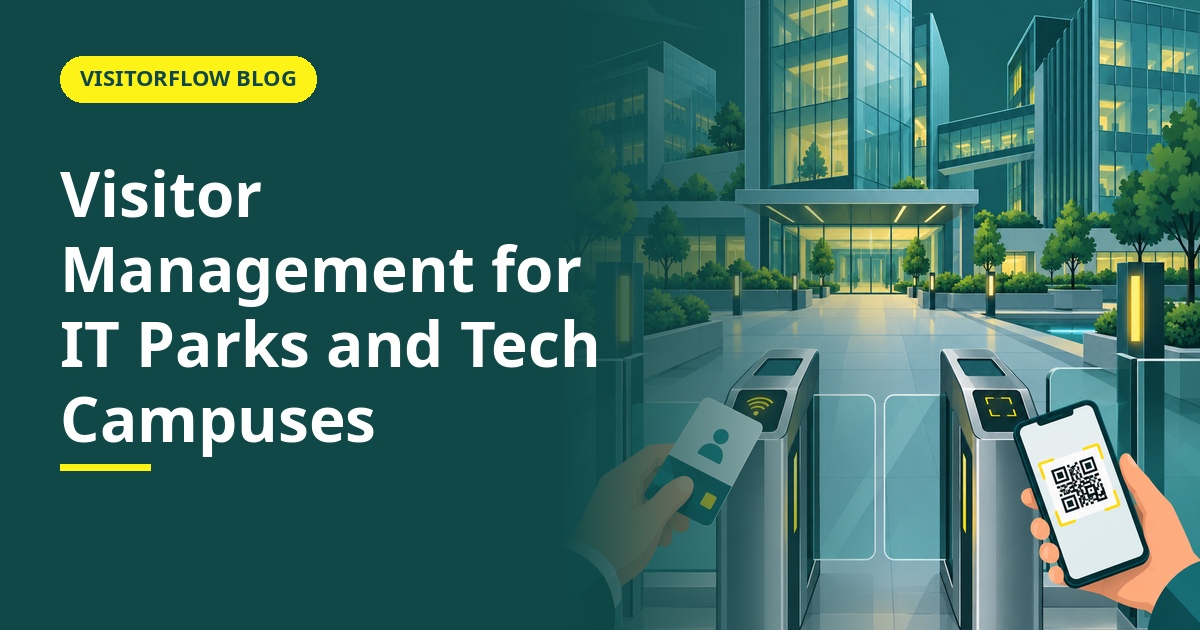
A tech park tower in Bengaluru at 9:45 am: forty companies share one lobby. A candidate has an interview on the ninth floor, a client is visiting the fintech on three, a laptop repair vendor is here for the startup on five, and a food delivery is headed to the cafeteria. The lobby guard has one register, and every company upstairs assumes its own visitors are being screened. In reality, the register records a building, not a visit.
Multi-tenant IT parks and tech campuses are the hardest visitor management environment in common use, because no single tenant controls the gate and no single guard works for the companies inside. This guide is for park operators, facility managers and the admin heads of tenant companies: how visitor flow actually works in a shared building, what the options cost in friction, and who should own what. Our overview of why gates need a visitor system sets the baseline; this article applies it to shared campuses.
On this page
Why shared buildings break visitor management
In a single-company office, the host and the gate belong to the same organisation, so approval is an internal matter. In a tech park, the gate belongs to the park operator, the host belongs to a tenant, and the visitor's destination is three organisations removed from the person holding the register. Every step that requires coordination between those three is a step that gets skipped at rush hour.
The symptoms are familiar to anyone who works in a park:
- The lobby queue at 9:30 and 1:30, when interviews and client visits cluster.
- Guards calling up to tenant reception desks that do not answer, then waving people up anyway.
- Tenants running their own informal lists at their own reception, so the same visitor gets recorded twice or not at all.
- Nobody able to answer "who from company X is in the building" without three phone calls.
Key idea: In a shared building, the gate record and the host approval live in different organisations. Any system that does not connect them digitally will connect them by shouting across the lobby.
Register, lobby kiosk and per-tenant digital compared
| What matters in a tech park | Shared paper register | Lobby kiosks | VisitorFlow per tenant, on phones |
|---|---|---|---|
| Rush-hour queue | Serial and slow | One queue per kiosk | Parallel: everyone registers on their own phone |
| Approval reaches the actual host | Phone chain: gate, tenant reception, host | If the kiosk software knows the tenant directory | Direct on WhatsApp, email or SMS |
| Tenant sees its own visitor list | No, one shared book | Sometimes, if the park shares reports | Yes, each tenant sees only its own visits |
| Hardware the park must buy and maintain | None | Kiosks per lobby plus upkeep | A printed QR per entrance |
| A new tenant moves in | Nothing changes | Vendor updates the kiosk directory | Tenant loads its own hosts, live the same day |
Every tenant gets its own gate, without touching the lobby
VisitorFlow gives each company its own visitor log, host approvals on WhatsApp, email or SMS, and a QR that works at any shared entrance. No kiosk required.
Explore Visitor Management SoftwareWho should own what: park vs tenant
The cleanest split in a multi-tenant building: the park owns the physical entry points and the guards, and each tenant owns its visitor records and approvals. A QR at the lobby feeds the tenant's own register, so a tenant that cares about its visitor data gets it without waiting for the park's operator to buy a building-wide system, and the park keeps one simple instruction at the door: scan, get approved, proceed. Neither side has to wait for the other to modernise first.
For park operators, the same system scales the other way: one dashboard across buildings and gates, with each tenant's data walled off from the others. For a tenant's admin head, the practical starting point is our article on visitor management systems for factories and offices, which covers the single-company setup you control yourself, and then extend the same logic to your floor.
A working arrangement in one checklist
- ✓ Every entrance carries a QR mapped to the building, so registration starts before the queue.
- ✓ Each tenant maintains its own host list and receives its own approvals.
- ✓ Guards check approval status on a dashboard instead of phoning floors.
- ✓ The park can answer "who is in the building" for an evacuation without calling forty reception desks.
Reader Q&A
How does visitor management work in a multi-tenant IT park?
Best practice is a shared QR at each entrance that feeds per-tenant registers. The visitor scans, picks the company and host, and the host approves from their phone. The park sees building-wide occupancy; each tenant sees only its own visits.
Can a single tenant digitise its visitors without the park's system?
Yes. Because the flow runs on phones and a printed QR, one company can run its own register and approvals at a shared entrance without asking the operator to install anything. Other tenants can join later on the same QR.
Who sees the visitor data in a shared building?
Each tenant sees only its own visits; the park operator sees entry counts and building-level data. Personal details are masked on screens, so one company's client list never leaks to a competitor on another floor.
What happens during an evacuation in a tech park?
With a digital register, the operator can list every visitor currently inside, by company, from one dashboard. With a paper register, the honest answer is that nobody knows, which is why evacuation rolls are the first question auditors ask at shared campuses.
Do interview candidates and clients need an app to enter the park?
No. The QR opens a form in the phone's browser, and pre-invited guests can confirm their details before they arrive. Nobody downloads anything, which matters when the visitor is a candidate judging your company from the lobby onwards, or a client timing how your building treats them.
What does this cost a park operator versus a tenant?
Either side can start as a cloud subscription with no hardware: a tenant for its own visitor log, or the operator for the whole building. Kiosk-based lobby systems cost multiples more once you count hardware, wiring and maintenance per lobby.
Bottom line
This week, stand in your lobby at 9:30 am and count how long a visitor waits and how many phone calls their entry triggers. That is the friction a shared building accepts daily without pricing it.
This quarter, pick one side of the split and start there: tenants can run their own register this week, and operators can put one QR at one entrance and measure the queue. The metric to watch is guard phone calls per day; when they approach zero, the lobby is doing its job, and tenants stop complaining about their guests waiting downstairs.
Fix the lobby without rebuilding it
VisitorFlow runs visitor, material gate pass, courier, maintenance and incident workflows on one cloud platform, with no hardware at the gate.
Explore Visitor Management Software See Material Gate Pass Software Book a Free Demo
Aadeshwar Modi is a marketing technical content writer who loves writing on technology and AI topics.
- From Register Book to Software: Digitizing the Gate Pass
- Inter-Branch Transfer Gate Pass: Keep Stock True Across Units
- Material Inward Gate Pass: Link the Gate with the GRN
- E-Way Bill vs Gate Pass: What Each Document Does
- Gate Pass System for Engineering and Fabrication Workshops
- Gate Pass Software for Pharma and Chemical Plants
- Office Facility Maintenance Checklist: Daily, Weekly, Monthly
- Breakdown Maintenance Log: Record, Analyze, Reduce
- Maintenance KPIs and Dashboards: What to Review Weekly
- AMC Management Software: Contracts, Renewals and Vendor SLAs